A connected view of the stroke.
RowDeck brings the rowing computer and wireless motion sensors together. GPS pace, stroke rate and Bluetooth heart rate give context to the movement of the boat and oars.
Computer + motion sensorsRowing technique. A clearer picture.
Meet RowDeck. The rowing computer built to turn movement into a better understanding of technique.
See when the blade squares. Explore the shape of a stroke. Watch a piece back with your telemetry in view.
Built by a rower for a data-driven view of rowing.
Beyond the split
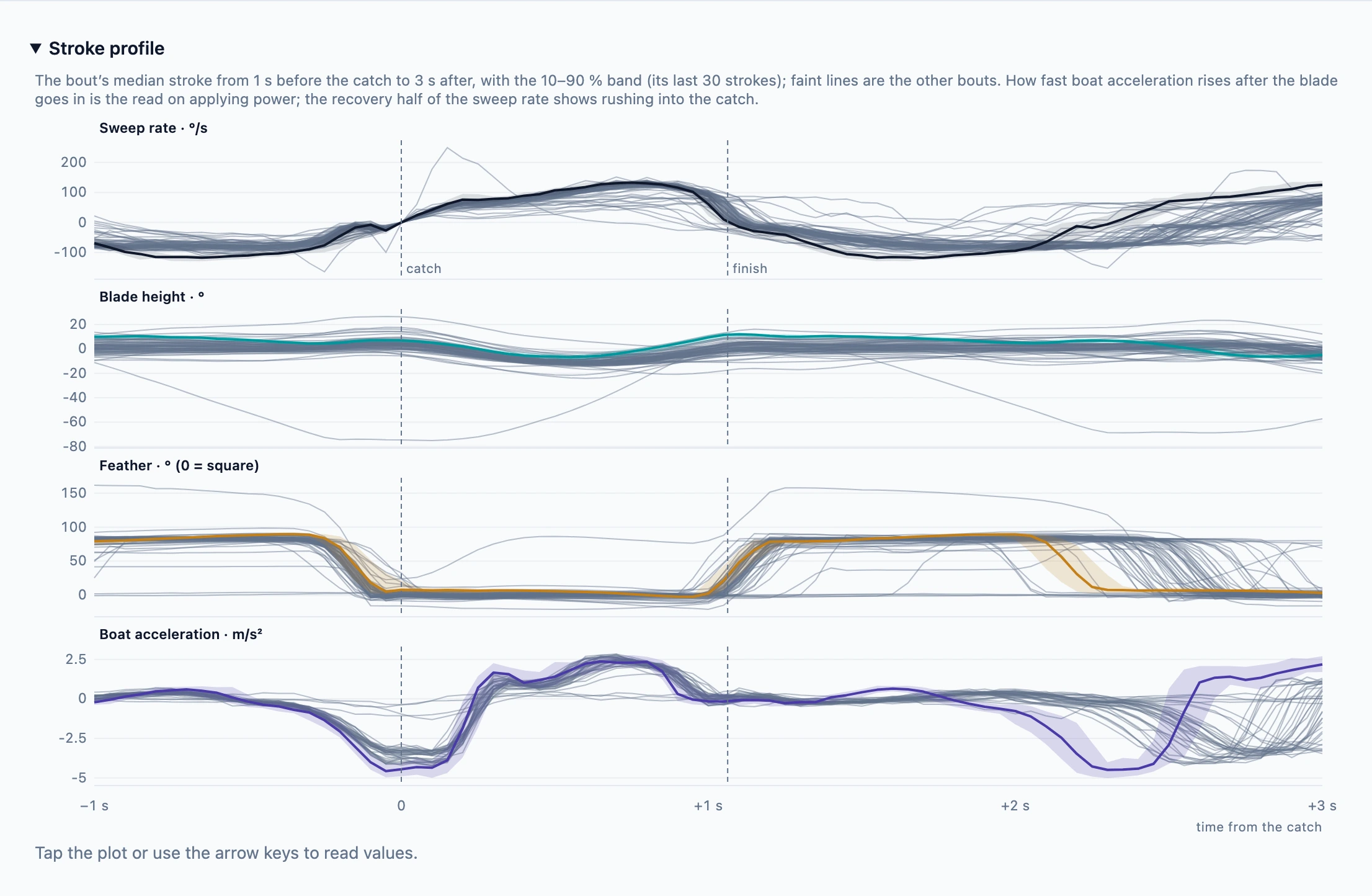
Feathering graphs make the rotation of the oar visible through the stroke. See when the blade squares before the catch and feathers after the finish, alongside blade height, sweep rate and boat acceleration.
Compare the pattern across strokes and bouts. Connect what the stroke feels like with what the sensors recorded.
Explore the oar analysis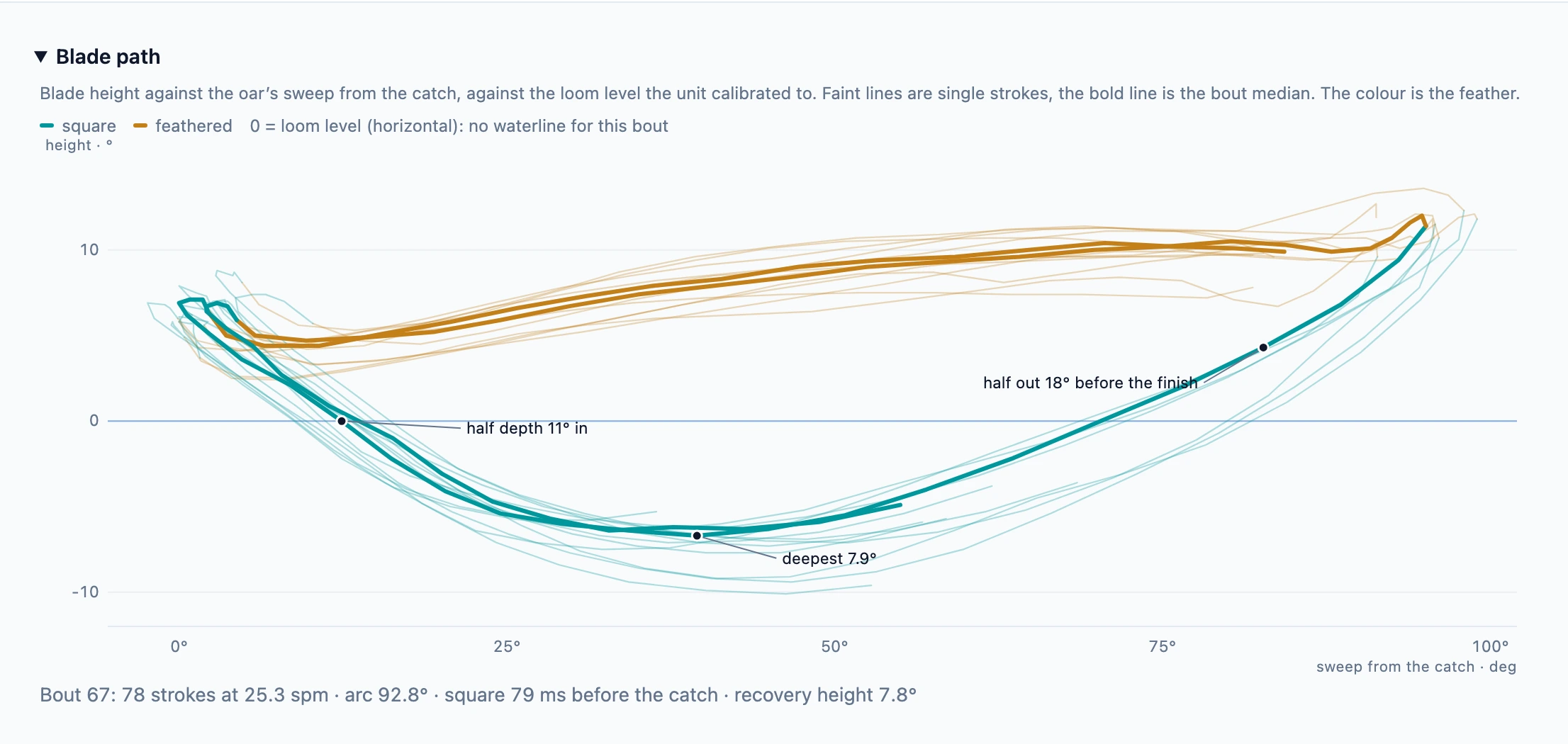
Meet the rowing computer
See RowDeck in action: the essentials while rowing, then the analysis behind the numbers. The displays follow your light or dark theme.

Split, rate, distance, time and heart rate at a glance.
Rendered from the RowDeck UI · example telemetry
Move through workout charts, blade paths and feathering profiles.
Rendered from the RowDeck UI · recorded demo workoutMovement meets measurement
RowDeck brings the rowing computer and wireless motion sensors together. GPS pace, stroke rate and Bluetooth heart rate give context to the movement of the boat and oars.
Computer + motion sensorsThe built-in selfie camera records the rower during a piece, with telemetry overlaid on the video. Watch body position and sequencing alongside stroke rate, split and heart rate.
Review the effort with both the movement and the numbers in view.
Piece video + telemetryThe companion app brings workouts and technique graphs to a larger screen. Review the outing, configure RowDeck and connect training with Strava and intervals.icu.
Take a look aroundBuilt by a rower
The cycling ecosystem has made connected computers, sensors and detailed training data commonplace. Rowing deserves the same access to modern tools — with analysis shaped around the demands of the stroke.
RowDeck was built by a rower who wanted a data-driven view of technique. Its goal is to make the relationship between blade, boat and rower easier to see, measure and understand.
Read the original build storyThe early development story. The system has evolved since.
Look closer
Explore a recorded workout, or open your RowDeck’s companion app.